An OBS alternative, honestly scoped
Record reaction videos without building a scene
OBS Studio is free, open source and better than us at almost everything it does. It is also a broadcast desk you have to configure before you can react to a video. If that is the only reason you keep opening it, there is a shorter route — for this one job.
Try Pro free for 3 days — $0 today, then $39.99/month. Cancel before the trial ends and you pay nothing. Keep OBS installed. This does not replace it.
- ScopeReaction recording only
- Live streamingNot offered
- SetupAllow camera, drop a file
- InstallNone
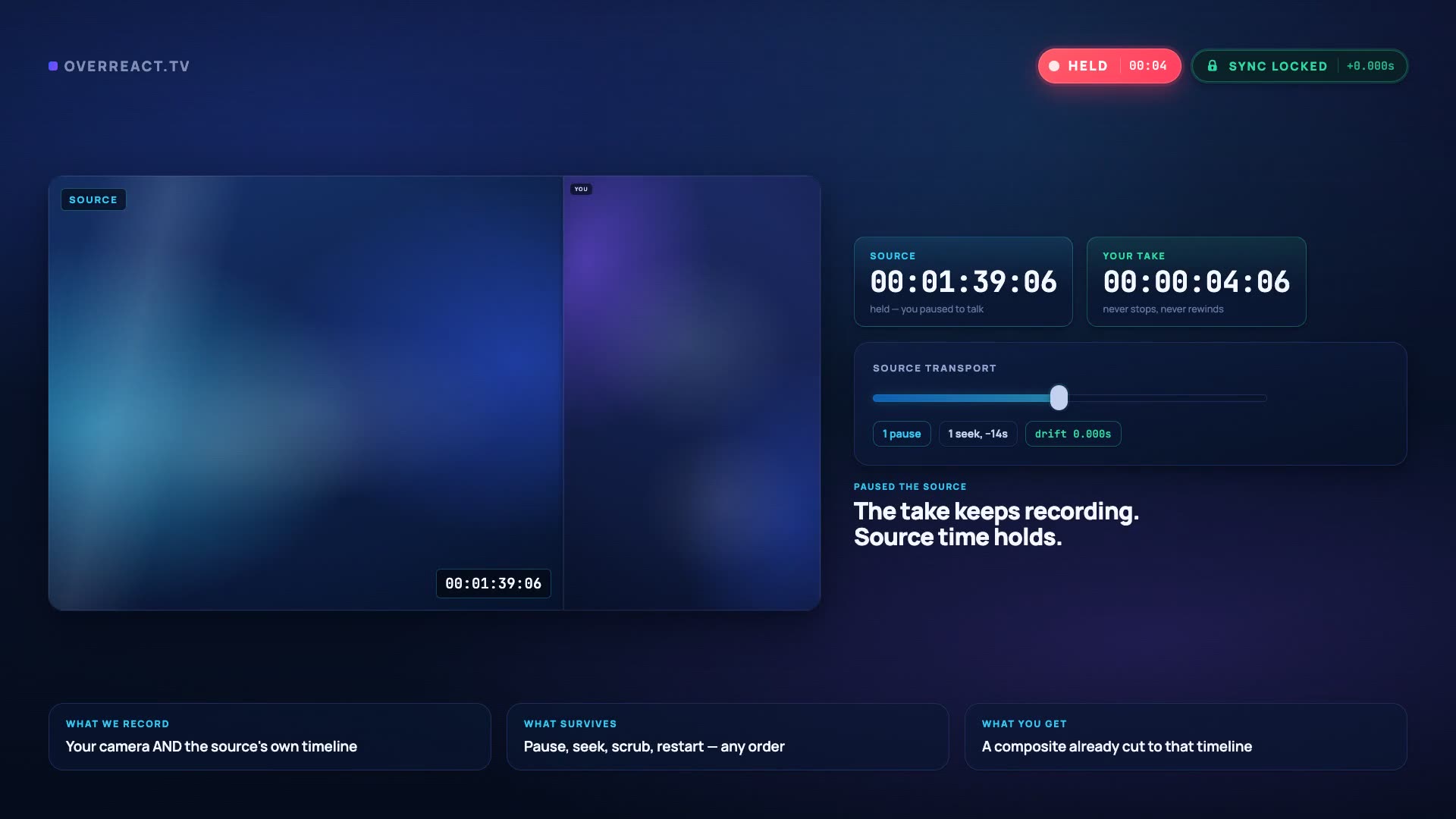 Pause + seek test
The specific thing a scene-based recorder cannot give you afterwards.
Which one you should open
OBS wins more of these rows than we do
This page exists because one workflow is awkward in OBS, not because OBS is bad. Read the left-hand column first — if any of it describes you, close this tab and go build your scene.
Keep using OBS Studio
- You go live to Twitch, YouTube or any RTMP endpoint.
- You switch scenes mid-broadcast, or composite more than two or three sources.
- You want per-source filters, chroma key and a plugin ecosystem.
- You need full control of encoder, bitrate, container and where the file lands.
- Everything must stay offline, on your machine, with no account involved.
- You record for hours and do not want a plan tier anywhere near it.
None of that is on offer here, and pretending otherwise would be a bad way to start. OBS is excellent software.
Use OverReact for the reaction
- The video is you reacting to somebody else's clip, not a live broadcast.
- You want to pause and rewind the source mid-take without losing the sync.
- You would rather decide the layout after watching the take than before.
- You want the finished, framed composite in a single file, not raw sources to assemble yourself.
- You finish in Premiere, Resolve or Final Cut and want the reaction already synced when you drop the clip in.
- You are recording on a laptop that would rather not run a broadcast suite.
This is an OBS alternative for one specific job. It is not a livestreaming tool and it does not try to be.
The honest summary: OBS is a general-purpose production tool that can be configured into a reaction recorder. OverReact is a reaction recorder that cannot be configured into anything else. Whether that is a feature or a limitation depends entirely on how many other things you need it to do.
Three frictions, none of them bugs
Why the scene model fights this one workflow
Everything below is OBS working exactly as designed. A live production tool composites in real time because a broadcast has to look right as it goes out. A reaction video does not go out live, which is why the same design turns into three specific chores.
Layout is a pre-recording decision
In OBS a layout is a scene: a media source, a video capture device and a set of transforms you position by hand. The composite is baked as it records, so deciding afterwards that the camera should have been a corner circle means rebuilding the scene and recording the reaction again.
Pausing is not free
Pausing a media source and pausing the recording are different actions with different consequences, and reconciling them afterwards is manual work. That is why so much OBS reaction advice reduces to “do it in one pass and do not touch anything”.
There is no timeline to hand your editor
OBS produces a finished file, or several files if you configure separate audio tracks. It does not track where the source playhead was at each moment, so there is nothing it could export that an NLE would open already aligned.
The whole setup, for comparison: two permissions and a file. There is no scene collection to back up and nothing to reconfigure when you change your mind.
The shorter route
What replaces the scene setup
Five steps, and none of them involve positioning a transform by hand. The trade is that you give up the control OBS gives you — you cannot pick your encoder here, and you cannot go live at all.
- 1
Open a session and allow the camera
~20sNo scene, no sources, no filter chain. The browser asks for camera and microphone the way a video call does.
- 2
Bring the source in
~30sDrag in a video file you already have. The source has to be a file on your device — there is no in-app way to pull a clip from a YouTube or TikTok URL, so save it first if it lives online.
- 3
Put headphones on
~10sThe same rule as any recording setup: if the source comes out of speakers it lands in your microphone and your clean track is contaminated for good.
- 4
Record, and use the transport freely
your takePause to make a point. Rewind to watch a beat twice. Stop and come back. Each of those is written into the timeline with the source's own position, which is the part OBS has no reason to do.
- 5
Choose the layout, then export
2–6 minPreview all 10 against your real footage, render the composite, and take that finished MP4 into your editor.
Bring your scene with you
The scene you already built, as a layout you pick afterwards
If you have an OBS reaction scene you like, you do not need to redesign anything. Every common arrangement maps onto one of the 10 layouts — the difference is that you now choose it once the take exists.
Corner Pocket
ProYour OBS scene: full-screen media source with a webcam circle on top.
Green Room
ProYour OBS scene: webcam full-screen with the media source in a floating window.
Above the Fold
FreeYour OBS scene: media source on top, webcam stacked underneath.
Sidecut
ProYour OBS scene: media source and webcam side by side.
Split Reaction
ProYour OBS scene: two webcams sharing the frame with one source.
Full Focus
ProYour OBS scene: webcam only, source playing as audio.
Straight answers
The questions an OBS user actually has
If you want the row-by-row version with prices and support levels, the full comparison page lays both tools out side by side.
Is this a replacement for OBS?
No, and it would be dishonest to say so. OBS Studio is a free, open-source broadcast suite that does live streaming, scene switching, multi-source production, filters and plugins — none of which is on offer here. This is an alternative for one job: recording a reaction to a source clip so the sync survives and the layout stays changeable.
Why is OBS awkward for reaction videos specifically?
Because the layout is a scene you build before you record and the composite is baked as it happens, and because a media source you pause does not leave behind a timeline anything downstream can read. Changing your mind about the layout means rebuilding the scene and recording again.
What do I give up by not using OBS?
Unlimited free recording with no plan tiers, complete control over encoder settings, a plugin for everything, fully offline operation with nothing leaving your machine, and the ability to go live. Those are real, and for plenty of creators they outweigh everything on this page.
Can I use OBS for part of the workflow and OverReact for the rest?
Yes. Prepare or record a source clip however you like, then upload that file here and react to it. A session always starts from a file you already have — nothing is fetched from YouTube or TikTok on your behalf.
Does this record my whole screen?
No. It records your camera and microphone, and the source is a video file you upload — it does not capture your screen. The camera permission works like a video call: it appears up front, and you can stop sharing whenever you want.
Is it free like OBS is free?
Not in the same way, and the difference is worth being straight about. OBS is free forever with no limits. Here, Try Pro free for 3 days — $0 today, then $39.99/month. Cancel before the trial ends and you pay nothing. After the trial, Free keeps working at 720p with a watermark — and free storage is deleted after 24 hours, so download the same day.
Test it against your scene
Keep OBS for the stream. Try this for the reaction.
Record a short take, pause the source twice, rewind once, and compare the export against what your current scene would have produced. On Free, recordings and exports are permanently deleted 24 hours after they are created. Download them before then, or upgrade to keep them.
Try Pro free for 3 days — $0 today, then $39.99/month. Cancel before the trial ends and you pay nothing. 14-day refund on your first charge. Cancel any time.
Not recording today?
Leave an address and we will tell you when a layout, an export format or a browser gets added. No drip sequence, no “our journey” newsletter.