Skip to content

6 layouts · 3 aspects

Six layouts, chosen after the take

These are the exact geometries the renderer uses — 1080×1920 vertical, 1080×1080 square and 1920×1080 widescreen, authored once and re-flowed per aspect. Because layout is a render decision, changing it costs a render and never a re-record.

Every account starts with a 7-day full-Pro trial. No card required. All six are unlocked for the whole trial.

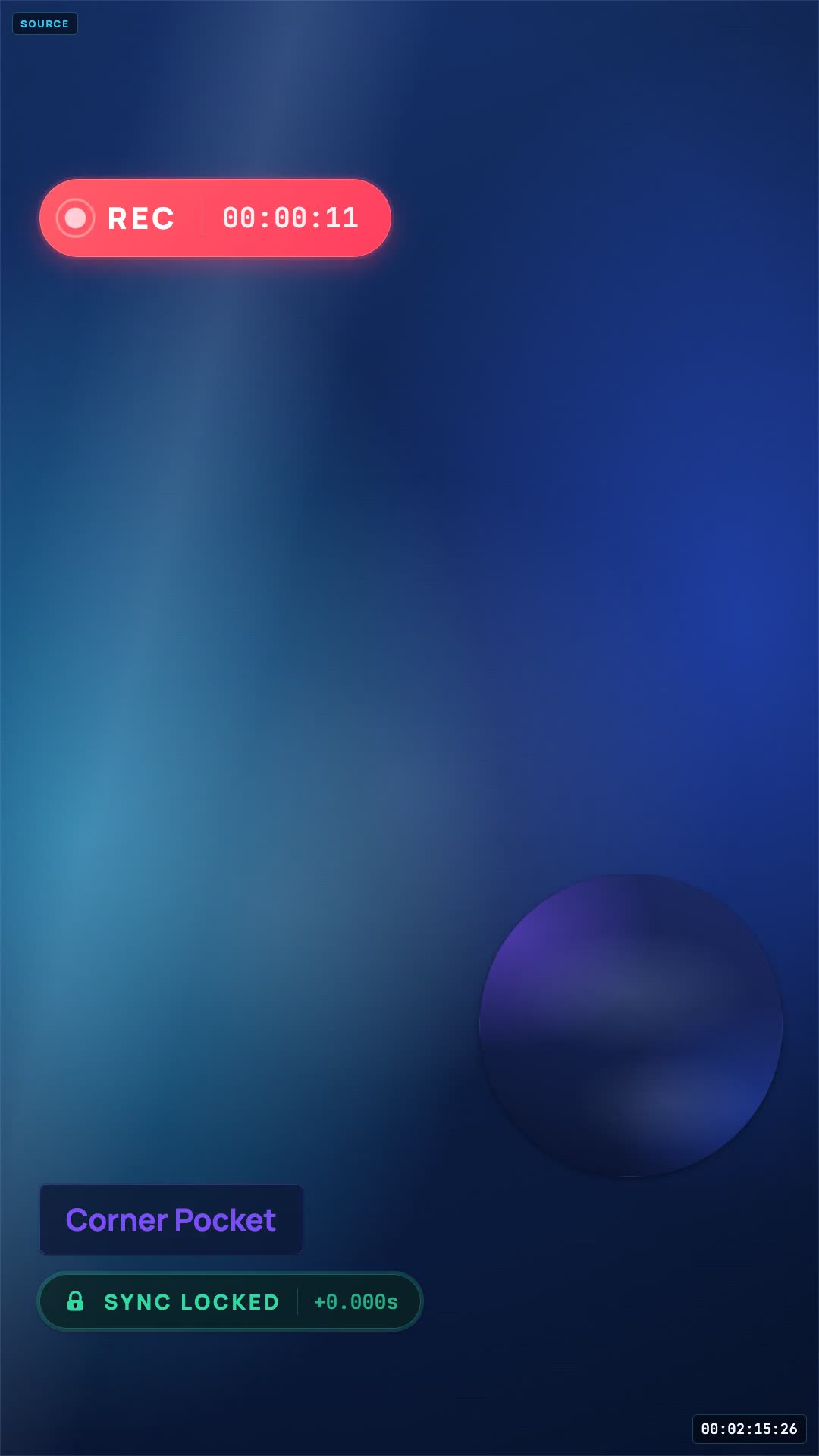
A vertical reaction composite with the source above and the creator's camera below, cycling through layout arrangements.Layout, applied after

Why the order matters

Layout regret is the most common reason a good take gets recorded twice

Everything else it does →
  • 01

    Choose the layout before you have watched a single frame of the take.

    Choose it against your real footage, then change it as many times as you like.

    How the recorder works
  • 02

    Crop a widescreen edit into a vertical frame and hope.

    Each aspect has its own geometry in the manifest — nothing is cropped from 16:9.

    Vertical in detail
  • 03

    Discover your face was covering the punchline, after export.

    Two layouts have draggable slots, and moving them changes the rendered file.

    Corner Pocket
  • 04

    Squash the source to fit a guest in.

    Two layouts split the camera area instead, leaving the source alone.

    Split Reaction

Choosing one

One question decides it

Who is the video actually about? If the answer is the clip, give the clip the frame. If the answer is you, give yourself the frame and let the clip be a window. Everything else is a variation on that.

  • The clip carries it

    Corner Pocket for full-bleed with your face in a circle, or Above the Fold when the source is landscape and you would rather letterbox than crop.

  • You carry it

    Green Room for a floating source window over a full-frame you, or Full Focus when the source should be heard and not seen at all.

  • It is a reply, or there are two of you

    Sidecut for the duet grammar, Split Reaction for a clean half each — and Split Reaction splits your half again rather than the source when a guest joins.

Two of the six have slots that move: Corner Pocket’s camera circle and Green Room’s source window are draggable and resizable, and where you leave them is what renders. Two of the six have a two-reactor arrangement built in: Above the Fold and Split Reaction.

You
Source
Green Room, widescreen · 1920×1080
Layouts6
Aspects each9:16 · 1:1 · 16:9
Cost to changeone render

Vertical and widescreen

Every layout, at 9:16 and 16:9, with the geometry written out

The widescreen version of a layout is not a stretched vertical. Each aspect is authored separately in the manifest, which is why Above the Fold stops being a stack and becomes a side-by-side on 16:9.

Included on FreeFree

Above the Fold

You
Source
9:16 · 1080×1920
You
Source
16:9 · 1920×1080
  • The vertical default. Source on top, you underneath at full width.
  • On the 1080×1920 canvas the source sits in an 1080×810 letterboxed band starting 75px down, and your camera fills the bottom 1080×960 edge to edge. On 16:9 it re-flows entirely: a 1280px source with a 640px vertical camera column on the right.
  • Suits: TikTok, Shorts and Reels — the grammar viewers read without thinking about it.
  • Watch out: Your camera owns the bottom half, which is where the caption and the handle sit. Frame yourself high in the crop so your chin does not end up behind the copy.
Creator and upCreator

Corner Pocket

You
Source
9:16 · 1080×1920
You
Source
16:9 · 1920×1080
  • Source full-bleed, you as a circular picture-in-picture you can move.
  • The source fills the whole canvas, cropped to cover. Your camera lands as a 400px circle in the lower right by default, and that circle is both draggable and resizable — the position you choose is saved with the session and used by the renderer, not just the preview.
  • Suits: Gameplay, trailers and sports, where losing the edges of the source would be a crime.
  • Watch out: The default position sits under TikTok's action rail. Drag the circle left or up before you export — that is exactly why the slot moves.
Creator and upCreator

Full Focus

You
Source audio
9:16 · 1080×1920
You
Source audio
16:9 · 1920×1080
  • You full frame. The source rides as audio with a title card, not a picture.
  • Your camera fills the canvas over a navy background. The source slot is audio-only: it renders as a 900×200 rounded card near the bottom rather than a video window, so the source is heard and credited but never shown.
  • Suits: Music reactions, podcast clips and commentary where you are what people came for.
  • Watch out: This is the layout for when showing the source picture is the problem and hearing it is the point. It does not clear the audio — it just stops you republishing someone's picture.
Creator and upCreator

Green Room

You
Source
9:16 · 1080×1920
You
Source
16:9 · 1920×1080
  • You full frame with the source floating in a rounded window.
  • Your camera fills the canvas; the source sits in an 810×456 window with a 48px corner radius near the top. That window is draggable and resizable, so you can push it away from your face or shrink it once the reaction gets going.
  • Suits: Talking-head-led reactions and first-watch commentary where your face carries the video.
  • Watch out: Keep the source window clear of the top-left corner on Shorts, where the title strip sits.
Creator and upCreator

Sidecut

You
Source
9:16 · 1080×1920
You
Source
16:9 · 1920×1080
  • Source pinned left at full height, you on the right. The duet grammar.
  • A 594px source column on the left and a 486px camera column on the right, both running the full 1920px height. On 16:9 that becomes 1056px and 864px.
  • Suits: Duet-style replies, screenshot reactions and any source that is already vertical.
  • Watch out: Your column is the right-hand one, which is where the action buttons live. Sit slightly left of centre in your own frame.
Creator and upCreator

Split Reaction

You
Source
9:16 · 1080×1920
You
Source
16:9 · 1920×1080
  • A clean 50/50 split — or two of you against one source.
  • 540px each on the vertical canvas, 960px each on 16:9. When a second reactor joins, your half splits again into two 540×960 panes so a co-host does not shrink the source.
  • Suits: Co-hosted reactions and guest episodes with two faces to keep on screen.
  • Watch out: Two people in a vertical half-frame is tight. Sit closer together than feels natural, or use the 16:9 render for the main-channel cut.

Layout questions

What people ask before they commit to one

Not sure the sync holds through a layout change? It does not have to — the layout is applied to the timeline, not recorded into it.

Can I change layout after I have already exported?

Yes. Changing layout re-renders from the same recording — it never re-records. The take, the timeline and the ISO tracks are all untouched by the decision.

Which layouts are on the free plan?

Above the Fold. The other five are Creator and up, along with layout switching itself, so Free is a single fixed arrangement rather than a choice.

Can I move things around inside a layout?

In two of them. Corner Pocket's circular camera slot and Green Room's source window are draggable and resizable, and the position you choose is saved with the session and used by the renderer — so nudging the circle off TikTok's action rail actually changes the exported file.

Do the layouts work in 16:9 as well as 9:16?

All six are authored for 9:16, 1:1 and 16:9. The geometry re-flows per aspect rather than being cropped from the vertical version — Above the Fold, for example, becomes a source-left, camera-right arrangement on widescreen instead of a top-and-bottom stack.

What happens when a guest joins?

Above the Fold and Split Reaction have a two-reactor arrangement built in, so a second face splits the camera area rather than shrinking the source. Guests are a Pro feature.

Are these diagrams the real geometry?

Yes — every diagram on this page is generated from the same layout manifest files the exporter reads, so the proportions, corner radii and slot positions are the ones you will actually get.
Try them against your own take

Diagrams are one thing. Your face in the frame is another.

Record two minutes, then cycle all six against your own footage — the only preview that tells you anything. On Free, recordings and exports are permanently deleted 24 hours after they are created. Download them before then, or upgrade to keep them.

Every account starts with a 7-day full-Pro trial. No card required. 14-day refund on your first charge. Cancel any time.

Not recording today?

Leave an address and we will tell you when a layout, an export format or a browser gets added. No drip sequence, no “our journey” newsletter.

Release notes and new layouts. Nothing else, and one click to stop.